4 June 2026 · Andreas Holter
Managing Recipient Data Securely When Ordering Corporate Gifts
Sending corporate gifts in Norway? Learn what recipient data to share, what to remove, and why secure upload is safer than email.
When a company orders corporate gifts for employees, customers or event participants in Norway, the gift itself is usually the easy part. The more delicate part is the recipient data.
To deliver gifts correctly across Norway, a gifting partner such as Kosibox normally needs practical information such as full name, delivery address and phone number. Sometimes companies also provide employee numbers, dietary preferences, dates of birth, email addresses or other internal details.
At first glance, this may not feel especially sensitive. A name, postal address and phone number may already be available in internal systems, public directories, CRM tools or previous delivery records. But when recipient data is collected in one structured spreadsheet, the risk changes. A list of employees, home addresses and phone numbers can become valuable information for scammers, social engineering, identity misuse or unwanted resale.
This article explains what recipient data is usually needed for corporate gifting, what should be avoided, and why secure upload is generally a better option than sending spreadsheets by email.
What recipient data is usually needed?
For most one-off corporate gift deliveries, Kosibox normally needs only the information required to deliver the gift:
| Data field | Usually needed? | Why |
|---|---|---|
| Full name | Yes | To identify the recipient and label the shipment correctly |
| Delivery address | Yes | To send the gift to the correct home, office or pickup location |
| Phone number | Yes | Needed by carriers for delivery notifications and delivery handling |
| Email address | Usually no | Not required for normal gift delivery unless agreed separately |
| Date of birth | Usually no | Only relevant for automated birthday gifting or similar recurring services |
| National identity number | No | Not needed for corporate gifting |
| Employee number | Usually no | Sometimes useful for internal reporting, but not needed for delivery |
| Dietary preferences | Sometimes | Relevant if gifts include food, but should be limited to what is necessary |
The guiding principle should be simple: only share the data that is necessary for the specific order.
For a standard gift delivery, name, address and phone number are usually enough. If dietary preferences are relevant, they should be kept practical and limited, for example “no nuts”, “gluten-free” or “vegan”. The gifting partner does not need wider health information or explanations.
Why a recipient spreadsheet can be sensitive
A spreadsheet with recipient information can look harmless, but it often contains a concentrated set of personal data. Even if each individual data point is low-risk on its own, the combined file can create a different risk profile.
For example, a spreadsheet may reveal:
- who works at a company
- where employees live
- their private phone numbers
- birthdays or age indicators
- internal employee numbers
- dietary or allergy-related information
- the fact that a person is receiving a gift from a specific employer or business partner
This kind of list can be misused. It could support phishing, impersonation, targeted scams, fake delivery messages, identity fraud or unwanted marketing. It may also be attractive to people who sell contact lists.
The point is not that every recipient file is highly sensitive. The point is that companies should treat these files with care because they are structured, complete and easy to misuse if they end up in the wrong hands.
Is it safe to send recipient data by email?
Email is convenient, but it is not always the best way to transfer recipient data.
Many companies still send Excel files by email because it is familiar and fast. For small, low-risk orders, this may feel practical. However, email has several weaknesses:
- files can be sent to the wrong recipient
- attachments can be forwarded internally without control
- old attachments remain in inboxes and archives
- access depends on each recipient’s email security
- deletion is hard to verify once a file has been distributed
- email accounts are common targets for phishing and compromise
If the spreadsheet contains only a few business recipients at office addresses, the risk may be moderate. If it contains many private home addresses, phone numbers, dates of birth, employee numbers or dietary information, the risk is higher. If it contains national identity numbers, it should not be sent at all unless there is a very specific and lawful reason — and corporate gifting does not normally require this.
For most B2B gift orders, secure upload is the better default.
Why Kosibox B2B offers secure data upload
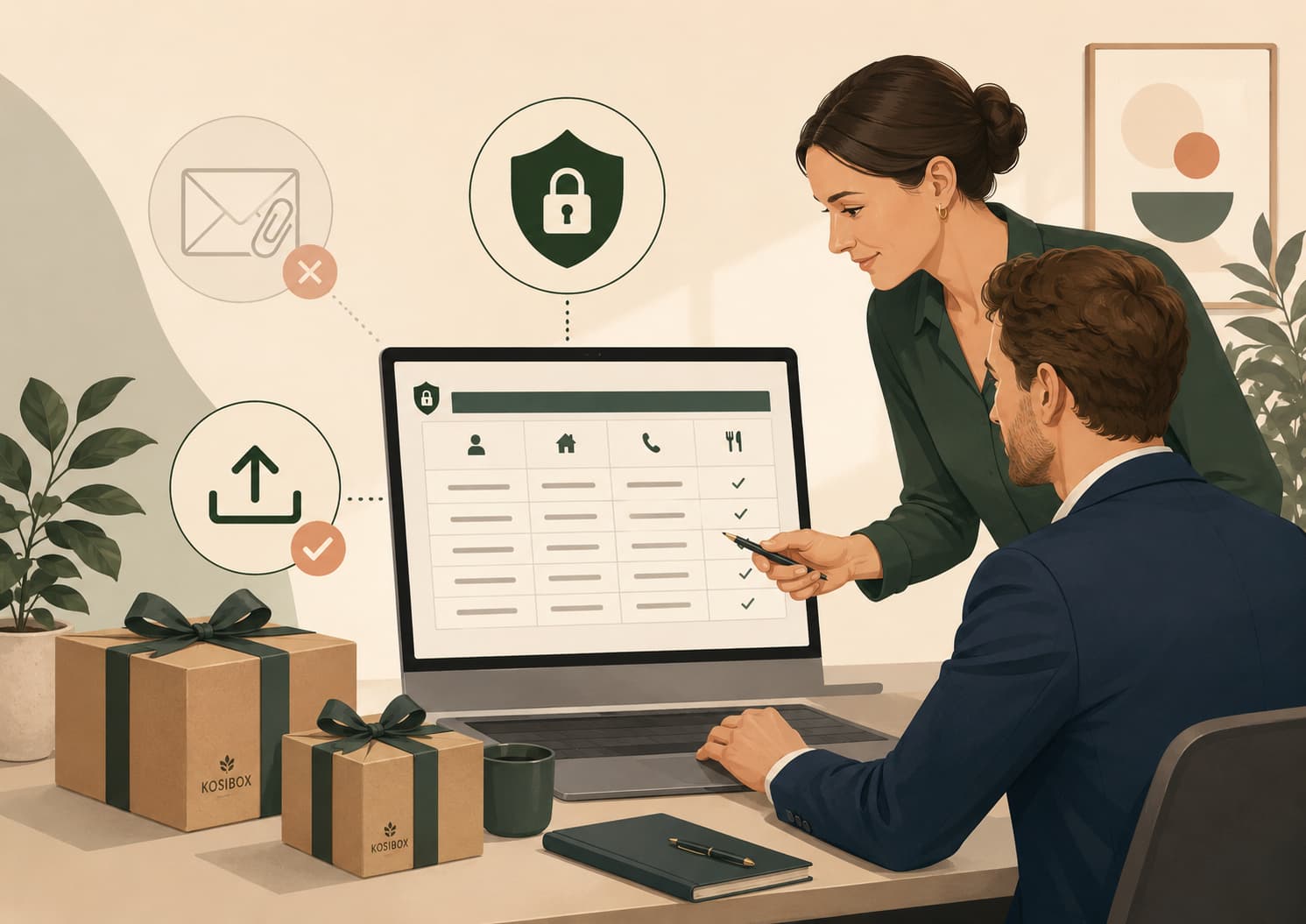
Kosibox B2B allows customers to upload recipient data directly through the order flow. This means the customer does not have to send an Excel file by email.
The advantage is not just technical. It also creates a better data handling process:
- the file is uploaded for a specific order
- the data goes directly to the relevant system
- fewer people need to handle the file manually
- there is less risk of sending it to the wrong email address
- unnecessary email copies and forwarding are avoided
- it is easier to limit the data to what is needed
The Kosibox B2B upload flow is built to make corporate gifting easier while reducing unnecessary handling of recipient lists. Customers can provide the practical delivery data needed for the order without turning the process into a long email chain.
What should corporate gift buyers care about?
When sharing recipient data with a gifting provider, customers do not need to understand every technical system behind the website. What matters is whether the process reduces unnecessary risk.
The most important questions are practical:
- Do I need to send this list by email?
- Can I upload it directly instead?
- Am I only sharing the fields needed for delivery?
- Will fewer people need to handle the spreadsheet manually?
- Am I avoiding unnecessary copies of the file in inboxes and email threads?
This is why Kosibox B2B offers direct recipient data upload as part of the order flow. Instead of emailing an Excel file with names, addresses and phone numbers, the customer can upload the data directly where it belongs: together with the gift order.
For the customer, this has three main advantages.
First, it reduces the risk of sending the file to the wrong person. Email attachments are easy to forward, misaddress or leave in old inboxes. A direct upload flow gives the data a clearer destination.
Second, it helps limit access. Recipient lists should only be handled by the people and systems involved in processing the order. They should not travel through unnecessary email chains.
Third, it encourages better data minimisation. When the upload is connected to the actual order process, it becomes easier to share only what is needed: usually full name, delivery address and phone number. Fields such as email, employee number, date of birth, dietary preferences or internal HR information should only be included when they are genuinely relevant.
In other words, the customer does not need to care about the technical details of the platform. The customer should care that the process is structured, secure and proportionate to the data being shared.
For corporate gifting, this is usually the right balance: make it easy to send gifts to many people, while avoiding unnecessary handling of personal data.
Data minimisation: what should you remove before sharing?
Before uploading a recipient file, it is worth cleaning the spreadsheet. In many cases, companies export more information from HR or CRM systems than the gifting provider actually needs.
A good rule is to remove everything that is not needed for delivery or agreed reporting.
Usually keep
- full name
- delivery address
- phone number
- relevant delivery instructions
- practical dietary preferences, if needed
Usually remove
- email address, unless specifically agreed
- employee number, unless needed for your internal reconciliation
- department, manager or internal HR notes, unless relevant
- date of birth, unless the service is birthday gifting
- full national identity number
- role level or employment status
- unnecessary health information
For recurring birthday gifts, date of birth may be relevant. Even then, it is often enough to use day and month rather than a full birth date with year, depending on how the service is set up.
Special caution: national identity numbers
Occasionally, companies include full national identity numbers in exported HR files. This should be avoided.
A national identity number is not needed to send a gift. Including it in a recipient spreadsheet increases the potential harm if the file is misdirected, forwarded or stored unnecessarily. If a company exports a file from an HR system, it should check the columns carefully before sharing it with any external supplier.
For corporate gifting, Kosibox does not need national identity numbers.
Special caution: dietary preferences
Dietary preferences may be practical and helpful, especially when food is included in the gift box. However, companies should avoid sharing more detail than necessary.
For example, “no nuts”, “gluten-free”, “halal”, “vegan” or “no alcohol” may be enough for gift planning. There is usually no need to explain the reason behind the preference. Some dietary information can indirectly reveal health, religious or lifestyle information, so it should be handled carefully and only when relevant.
If the gift does not include food or drink, dietary preferences may not be needed at all.
Recipient data for gift delivery in Norway
For deliveries in Norway, accurate recipient data is especially important. Norwegian addresses should include the full street address, house number, postal code and city. A Norwegian mobile number is also helpful because carriers often use SMS notifications and delivery updates.
Kosibox delivers corporate gifts across Norway, both to private home addresses and office addresses. For most deliveries, the required information is simple: full name, address and phone number. Other fields should only be included if they are relevant to the specific order.
Practical checklist before sending recipient data
Before sharing recipient data with any gifting provider, ask:
- Is every column in the spreadsheet actually needed?
- Have we removed national identity numbers?
- Have we removed unnecessary HR fields?
- Are private home addresses necessary, or should some gifts go to office addresses?
- Do we need date of birth, or only for birthday automation?
- Are dietary preferences limited to practical gift selection?
- Are we using a secure upload flow instead of email attachments?
- Do we know who internally is responsible for approving the file?
- Has the file been checked before sharing?
- Is the provider clear about how the data will be used?
These steps are simple, but they reduce risk significantly.
A better process for corporate gifting
Corporate gifting often involves many recipients, tight deadlines and practical delivery details. It is understandable that companies use Excel files. The goal is not to make the process complicated. The goal is to make it safer.
The best approach is usually:
- export only the fields needed for the gift order
- clean the spreadsheet before sharing
- avoid national identity numbers and unnecessary HR data
- use secure upload rather than email attachments
- provide dietary preferences only when relevant
- agree clearly how the data will be used
Kosibox B2B is designed to support this process. Customers can upload recipient data directly, without sending spreadsheets by email, and the order can be handled based on the information actually needed for delivery.
Conclusion
Kosibox helps companies send thoughtful corporate gifts across Norway — and part of that service is handling recipient information in a practical, careful and responsible way.
Recipient data deserves more care than many companies realise. A single name or address may not feel sensitive, but a structured list of employees, addresses and phone numbers can become valuable if misused.
For corporate gifting, the safest approach is not to share more data than necessary. In most cases, full name, address and phone number are enough. Dates of birth should only be used when relevant for automated gifting. National identity numbers should not be included. Dietary preferences should be limited to practical gift selection.
By using secure upload instead of email attachments, companies can make gift ordering easier while reducing unnecessary data risk.
Ready to give a gift that leaves an impression?
Get a no-obligation quote tailored to your needs.
Get a quote